

🚀 Just Click & Print: Radically Simplify Large Format Printing with HP Click Solutions
Do you hate printing large drawings or posters because it's always a confusing mess? You waste paper, ink, and time guessing if the final print will look right. **HP Click Print Solutions** is here to end that frustration.
Simply put, HP Click takes all the complexity out of large-format printing—whether you're an architect running CAD files or a small business printing a big presentation. It gives you a perfect preview, automatically fixes errors, and works seamlessly with your computer, so you truly **Just Click and Print**.
Watch how HP Click Print Solutions transforms your printing workflow from complex to effortless.
Table of Contents
The Problem: No More Guesswork
For years, large format printing has been plagued by unexpected outcomes, leading to frustration, wasted supplies, and time lost. Users often avoid printing altogether because the process is complex and leaves them unsure of the final result.
"I tried to print 20 plots today but it didn’t work so I just walked away.” — Tim, Architect
HP Click Print Solutions solve these key challenges, enabling you to print confidently every time and protect your projects from errors.
HP Click Driver: Seamless Windows 11 Printing
The HP Click Driver is embedded directly into your natural print workflow. The moment you hit 'Print' from any application, a reassuring, interactive real-print preview pops up, showing you exactly what the final output will look like.
Why the Driver is a Game Changer:
- **Seamless Integration:** Works with all Windows 11 programs, including common CAD applications like AutoCAD and Revit.
- **Automatic Error Detection:** Saves time, ink, and paper by catching mistakes like page clipping before you print.
- **Save Time and Steps:** You can even save a copy of the final print **to PDF** while you print the physical document.
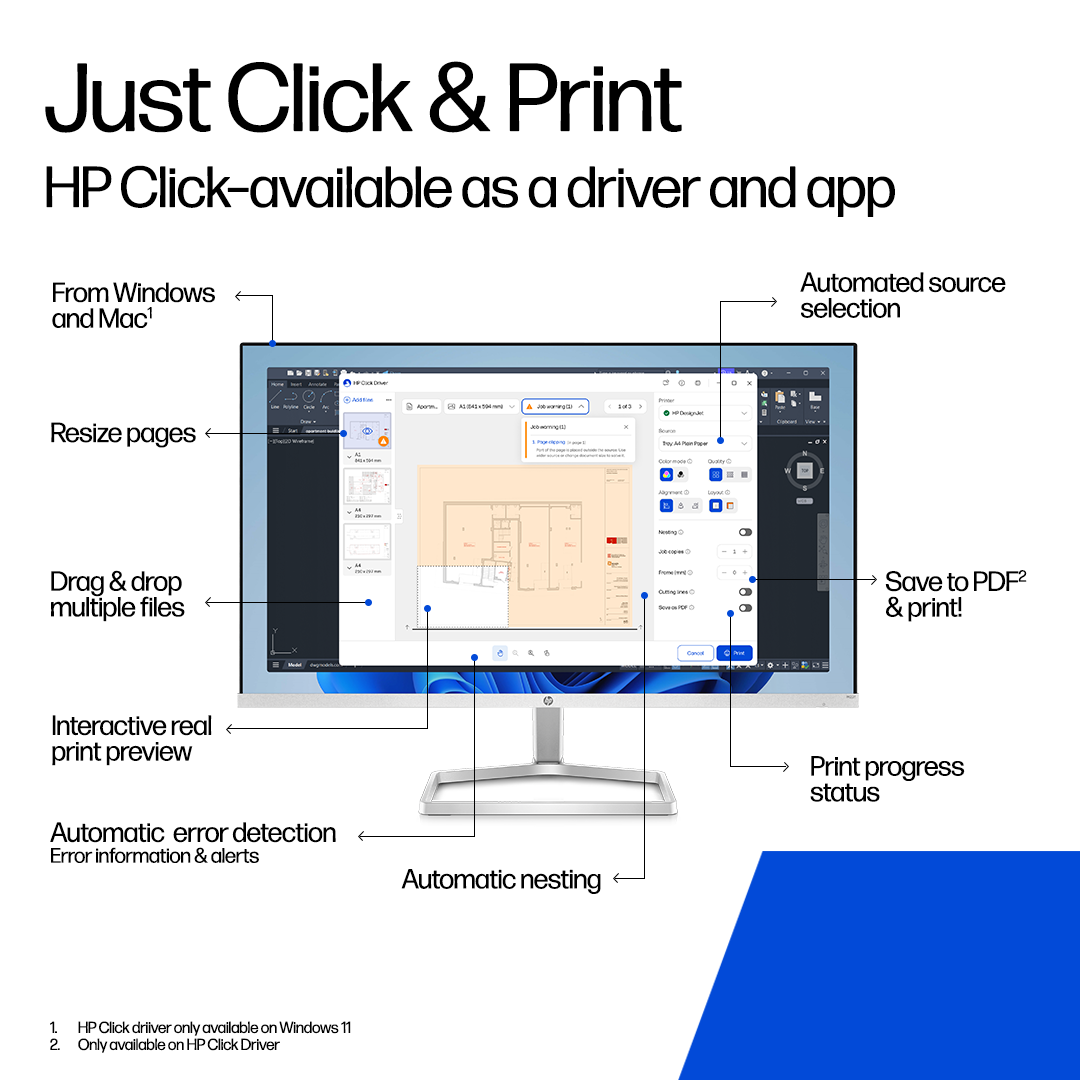
The HP Click Driver provides an interactive real-print preview and automatic error detection right in your Windows 11 print flow.
HP Click App: Project Printing Simplified
The HP Click App remains available and is ideal for users needing to print multiple files for projects, or those using operating systems other than Windows 11 (like Mac®) or without internet access.
Project Efficiency with Drag-and-Drop
The app is perfect for bulk printing tasks, allowing you to easily **drag-and-drop multiple files at once**. This easy-to-use job submittal tool supports both HP DesignJet and PageWide XL printers.
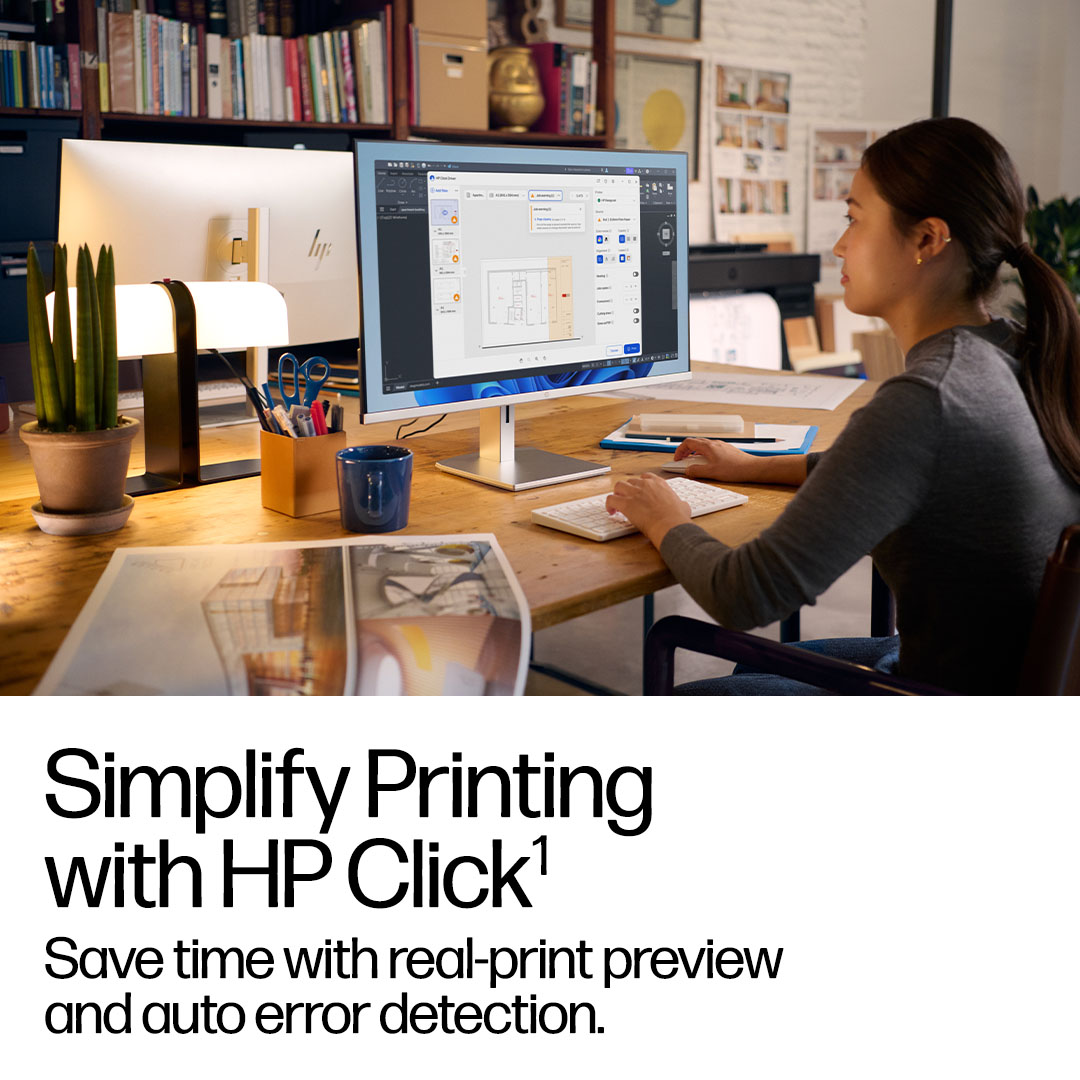
The HP Click App simplifies printing multiple files for various applications.
Key Benefits: Reliable, Efficient, Integrated
HP Click Print Solutions are built on three core pillars that ensure a superior large format experience:
What you see is what you get. Avoid surprises and wasted supplies with an interactive preview and automatic error detection.
Get to your final print quickly with a simple, intuitive user interface and the ability to save to PDF during printing.
Embedded in the Windows 11 print flow and accessible from all programs, including common CAD applications.
Supported HP DesignJet Printers
Check the compatibility lists below to see if your large-format printer supports the HP Click Driver, the HP Click App, or both.
HP Click App Compatible Printers
- HP DesignJet T210, T230, T250
- HP DesignJet T630, T650
- HP DesignJet T830 MFP 24-in
- HP DesignJet T850 Printer series
- HP DesignJet T950 Printer series
- HP DesignJet T200 series 2025 Edition
- HP DesignJet T600 series 2025 Edition
- HP DesignJet T870 24-in Printer
- HP DesignJet T1600 Printer series
- HP DesignJet T1700 Printer series
- HP DesignJet T2600 MFP series
- HP DesignJet XL 3600 MFP series
- HP DesignJet XL 3800 MFP
- HP DesignJet Studio (Includes contractual and MFPs)
- *Also supports PageWide XL models with PostScript/PDF Upgrade.
HP Click Driver Compatible Printers
*(Windows 11 only)*
- HP DesignJet T850 Printer series
- HP DesignJet T950 Printer series
- HP DesignJet T200 series 2025 Edition
- HP DesignJet T600 series 2025 Edition
- HP DesignJet T870 24-in Printer
- HP DesignJet T1600 Printer series
- HP DesignJet T1700 Printer series
- HP DesignJet T2600 MFP series
- HP DesignJet XL 3600 MFP series
- HP DesignJet XL 3800 MFP
- HP DesignJet Studio (Includes contractual and MFPs)
- *Driver only available for PostScript printers & upgrades.
Ready to Simplify Your Printing?
Focus on your projects, not your prints. Download the HP Click Driver or App today and experience the world’s most advanced large format driver.
🚀 Just Click & Print!
Stop wasting time and supplies on failed large-format prints. Get the solution that guarantees print success every time.
Download HP Click Driver(Need a summary? Download the Full PDF Brochure)