

HP DesignJet 713 Printhead & 712 Ink: Unleash Brilliant Color & Ultra-Sharp Lines
Precision Inks for HP DesignJet T250, T650, and Studio Series. Experience the pinnacle of print quality with vibrant colors and sharp details.
Available HP DesignJet 712 Ink & 713 Printheads
Browse our complete range of genuine HP 712 ink cartridges and HP 713 printheads for DesignJet T250, T650, and Studio series plotters. Click on any product to learn more or get a quote.
HP 712 ink & HP 713 printhead
For the HP DesignJet T210, T230, T250, T630, T650 and Studio.
-
Ink · T250 · T650
HP 712 Ink
Original HP cartridges for the T210, T230, T250, T630, T650 and DesignJet Studio.
- Regular price
- RM 105.00 - RM 178.00
- Sale price
- RM 105.00 - RM 178.00
- Regular price
-
RM 0.00
-
Printhead · T250 · T650
HP 713 Printhead Kit
Replacement printhead for the T210, T230, T250, T630, T650 and Studio, with starter inks.
- Regular price
- RM 1,200.00
- Sale price
- RM 1,200.00
- Regular price
-
RM 0.00


Precision Inks for T-Series & Studio
What is HP DesignJet 712 Ink?
Genuine HP ink supplies specifically engineered for the latest generation HP DesignJet T250, T650, and Studio series plotters. Advanced cartridges delivering exceptional print quality for Malaysian AEC professionals.
Click to explore products, features, and compatibility details.
Key Features & Benefits
Experience outstanding vibrancy with genuine HP 712 inks. Perfect for architectural renderings and creative presentations requiring exceptional visual impact. The advanced ink formulation ensures accurate color reproduction and smooth gradients.
Achieve ultra-sharp lines and crystal-clear text essential for technical CAD drawings and authority submissions. The HP 713 printhead works seamlessly with HP 712 inks to deliver professional-grade line accuracy.
Prints withstand fading and moisture in tropical climates. Archival-quality output ensures documents maintain quality long-term. Perfect for official documentation and permanent records requiring extended durability.
Consistently deliver presentation-ready prints with intelligent chip technology monitoring ink levels. Ideal for architectural portfolios and engineering documentation. Genuine HP 712/713 supplies ensure optimal printer performance and longevity.
Why Choose Genuine HP 712/713 Supplies?
They are made to work together, and HP tests them as a pair for print quality and reliability. Compatible inks can clog the printhead, shift colours or be rejected by the printer's cartridge check, and HP's warranty does not cover printhead damage caused by non-HP ink. HP rates plain-paper prints made with HP 712 ink for up to 100 years of archive life.
They fit different printers and cannot be swapped. HP 712 is for the newer T210, T230, T250, T630, T650 and DesignJet Studio, with the HP 713 printhead. HP 711 is for the older T120, T125, T130, T520 and T530, with the HP 711 printhead. Both come as an 80 ml black cartridge and 29 ml cyan, magenta and yellow cartridges.
Replace it when streaks, missing lines or wrong colours remain after printhead cleaning and alignment. The HP 713 kit has one four-colour printhead plus starter cartridges, and you can fit it yourself. HP covers it for 12 months after installation, until its warranty-end date or 1,000 ml of ink, whichever comes first. HP 712 cartridges have an 18-month shelf life, so check the dates on spares.
Compatible HP DesignJet Printers
HP 712 ink cartridges and HP 713 printheads are compatible with the following latest-generation HP DesignJet plotters, designed for modern AEC workflows.
Works With These HP Printers
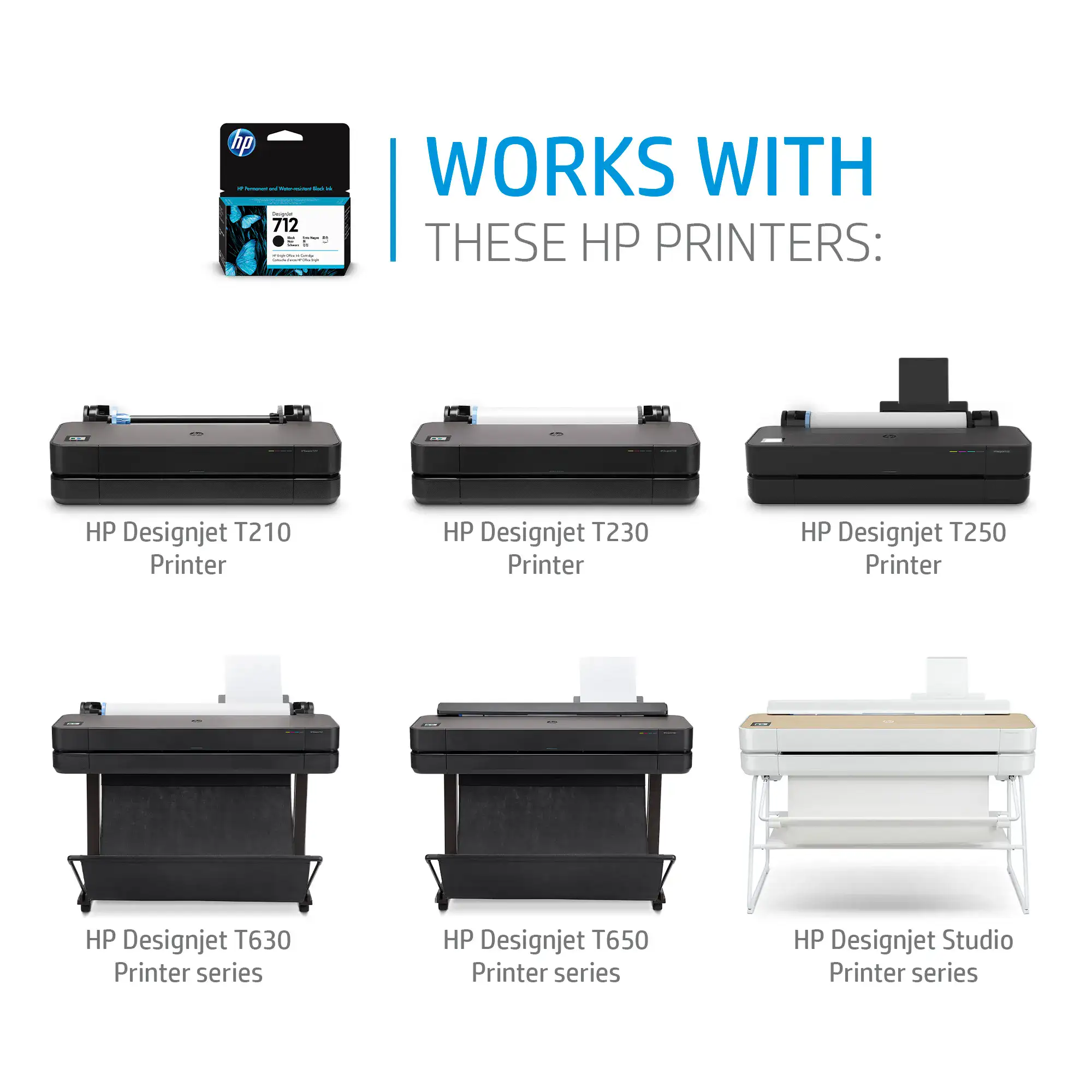
HP 712 inks are compatible with:
T210 Printer • T230 Printer • T250 Printer • T630 Printer Series • T650 Printer Series • Studio Printer Series
Printer Model Details
Compact 24-inch plotter with wireless connectivity, perfect for modern offices and remote work environments. The T250 offers mobile printing capabilities, cloud connectivity, and fast print speeds. Ideal for printing A1/D-size technical drawings, presentations, and marketing materials with professional quality.
Professional plotter in 24-inch and 36-inch widths for architectural, engineering and construction drawings, with Wi-Fi, an automatic sheet feeder and HP Wolf Essential Security. Prints construction documents, blueprints and presentations up to A0 with HP 712 ink and the HP 713 printhead.
Premium plotters with elegant design finishes - wood for 24-inch and steel for 36-inch models. Combines professional printing capabilities with sophisticated aesthetics suitable for client-facing environments. Features mobile app printing, automatic sheet feeder, and high-quality output for creative professionals and architects.
Product Highlights & Features
Discover the key benefits of HP 712 ink cartridges and how they deliver exceptional quality for your HP DesignJet T250, T650, or Studio plotter.
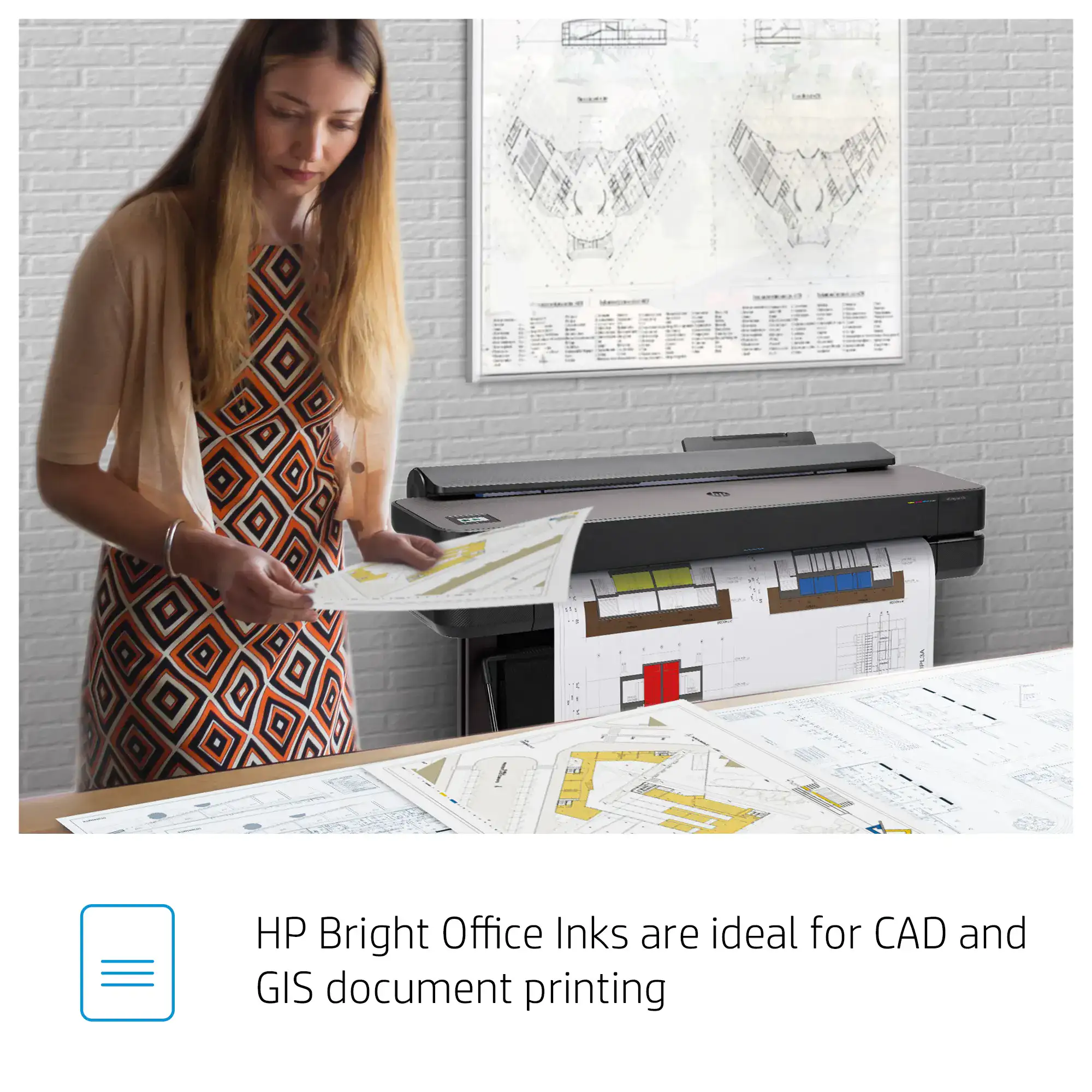
Up to 95% less ink for routine maintenance vs competition. Get up to 100 extra A1/D pages per month with HP 712 inks on your T650 plotter.
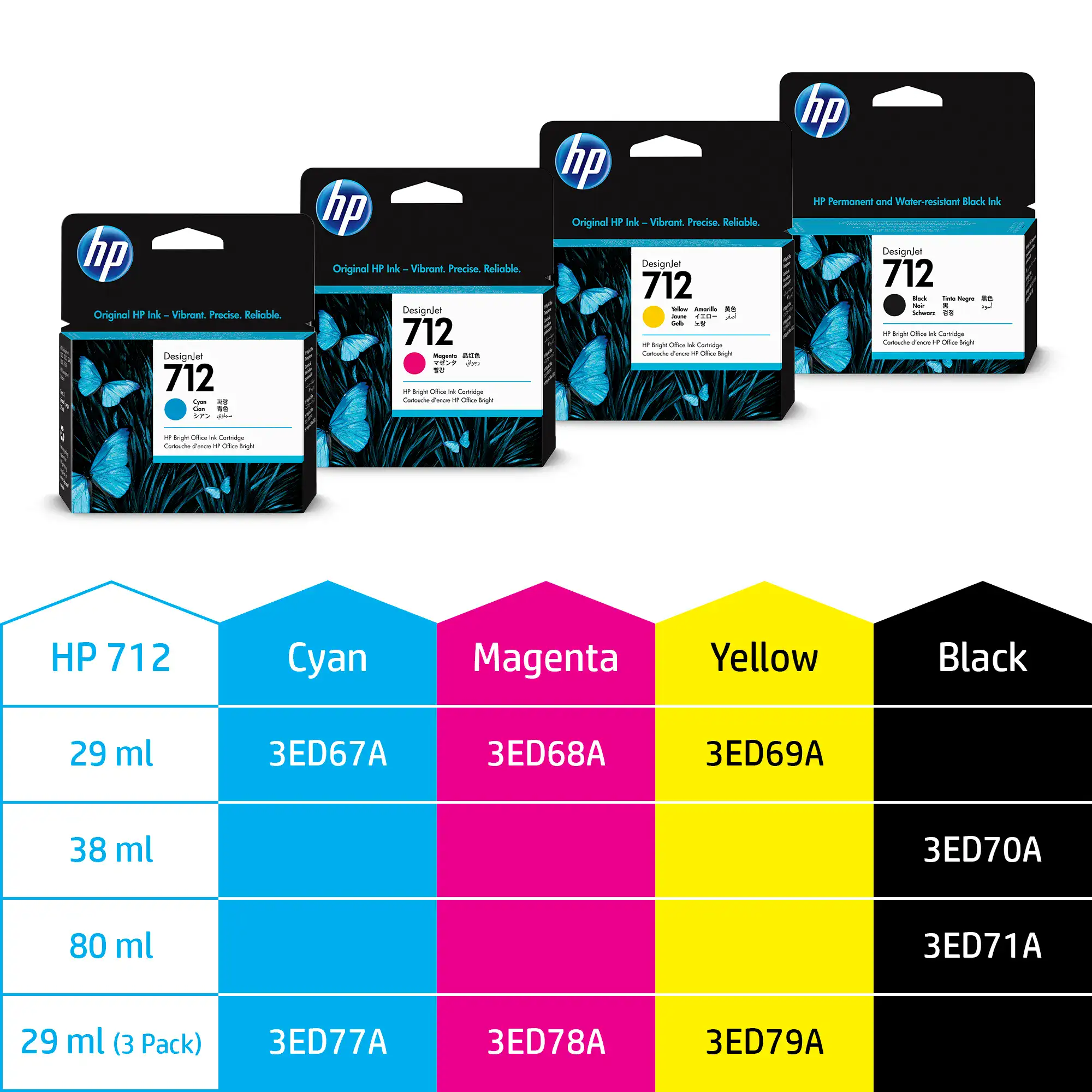
Complete color range in multiple capacities: 29ml, 38ml, and 80ml cartridges. Available in Cyan, Magenta, Yellow, and Black for all your printing needs.
Support & Resources
For HP 712 Ink: Remove the old cartridge, unpack the new HP 712 cartridge, remove the protective tape, insert firmly until it clicks into place. For HP 713 Printhead: Turn off printer, open printhead access door, release the latch, remove old printhead, insert new HP 713 printhead, and secure the latch. The printer will automatically align and calibrate.
Common issues: If colors appear faded or incorrect, run printhead alignment and cleaning cycles. For streaking or missing colors, clean the HP 713 printhead through printer settings. If the printer doesn't recognize cartridges, remove and reinstall them, ensuring they're fully seated. Contact our technical support for persistent issues. For error codes, see our HP DesignJet T250, T650 and Studio error code guide.
Store HP 712 cartridges sealed in their original packaging until ready to use. Keep the printer in a climate-controlled environment (20-25°C). Run printhead cleaning cycles monthly if the printer is idle. Replace HP 712 cartridges promptly when low to prevent air bubbles in the HP 713 printhead. Always use genuine HP supplies for optimal performance and printer longevity.