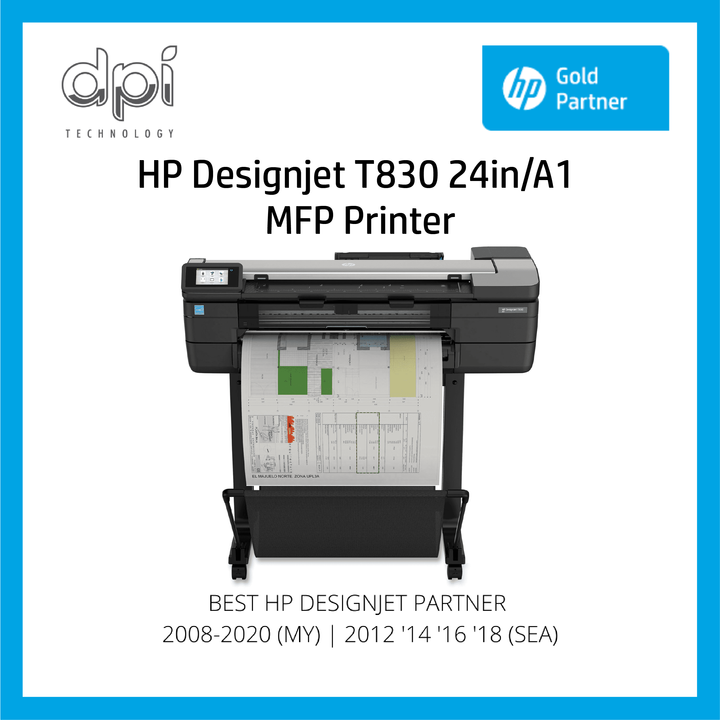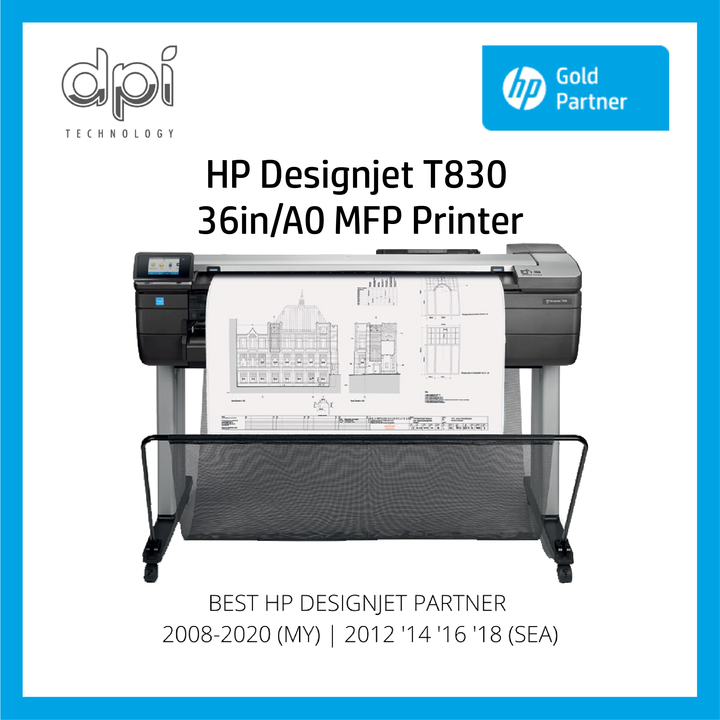

Quick answers: the most common HP DesignJet T730 and T830 errors
Restart the printer first: switch it off, unplug it for a minute, then switch it on. If the code comes back, try the first fix below.
| Error code | What it means | What to do first |
|---|---|---|
| 0942-0188 | Carriage cannot find its home position. | Restart, clean the encoder strip, and check for paper blocking the carriage or service station. |
| 0042-0117 | Carriage cannot move (carriage jam). | Restart, run the carriage servo test, and move the carriage by hand to check for friction. |
| 0044-0059 | Paper feed motor stopped (paper jam). | Clear the paper jam, restart, and run the paper motor test. |
| 0021-0017 | Service station is blocked. | Switch off, open the printhead door and remove any paper blocking the service station. |
| 0087-0001 | Encoder strip failure. | Restart. If it returns, the encoder strip needs replacing onsite. |
| 0027-0080 | Printhead not detected or needs reseating. | Remove, clean and reseat the printhead, and check the latches are closed. |
| 0026-2X75 | Ink cartridge problem (X is the colour slot). | Remove the cartridge, shake it, check the slot is clear and reinsert it. |
| 0024-1000 | Printhead start-up failed: a cartridge is missing or faulty. | Restart, check every cartridge is seated, and try a new HP cartridge. |
Code not listed here? Search this page for it (Ctrl+F on a computer). Still stuck? WhatsApp DPI on +60 17-791 7001 for onsite repair by our HP-certified engineers. For a real 0087-0001 repair, see our T730 encoder strip case study.
This technical guide provides the full diagnostic data for managing and servicing HP DesignJet T730 & HP DesignJet T830 Plotters. System error codes are vital for identifying internal system malfunctions. While some are advisory or silent, critical errors require immediate intervention. The recommended first step for any error is a system restart to clear transient issues.
Table 1: Silent Error Codes
Silent error codes assist with specific troubleshooting through the error log and do not appear on the front panel.
| System Error Code | Service Part | Full Error Cause Description |
|---|---|---|
| 0026-2175 | Ink Supply Station Ink Cartridge (K) | Generic Ink Supply failure. |
| 0026-2182 | Ink Supply Station Ink Cartridge (K) | IDS startup failure (long repumps). |
| 0026-2184 | Ink Supply Station Ink Cartridge (K) | IDS startup failure (delay phase). |
| 0026-2185 | Ink Supply Station Ink Cartridge (K) | PHA primed with empty supply. |
| 0026-2186 | Ink Supply Station Ink Cartridge (K) | IDS startup failure (cycling phase). |
| 0026-2187 | Ink Supply Station Ink Cartridge (K) | IDS startup failure (shaid not covered). |
| 0026-2190 | Ink Supply Station Ink Cartridge (K) | Cartridge Altered |
| 0026-2191 | Ink Supply Station Ink Cartridge (K) | Cartridge Out of ink |
| 0026-2192 | Ink Supply Station Ink Cartridge (K) | Ink Sensor detected unexpected OOI |
| 0026-2196 | Ink Supply Station Ink Cartridge (K) | Altered cartridge OOI |
| 0026-2275 | Ink Supply Station Ink Cartridge (C) | Generic Ink Supply failure. |
| 0026-2282 | Ink Supply Station Ink Cartridge (C) | IDS startup failure (long repumps). |
| 0026-2284 | Ink Supply Station Ink Cartridge (C) | IDS startup failure (delay phase). |
| 0026-2285 | Ink Supply Station Ink Cartridge (C) | PHA primed with empty supply. |
| 0026-2286 | Ink Supply Station Ink Cartridge (C) | IDS startup failure (cycling phase). |
| 0026-2287 | Ink Supply Station Ink Cartridge (C) | IDS startup failure (shaid not covered). |
| 0026-2290 | Ink Supply Station Ink Cartridge (C) | Cartridge Altered |
| 0026-2291 | Ink Supply Station Ink Cartridge (C) | Cartridge Out of ink |
| 0026-2292 | Ink Supply Station Ink Cartridge (C) | Ink Sensor detected unexpected OOI |
| 0026-2296 | Ink Supply Station Ink Cartridge (C) | Altered cartridge OOI |
| 0026-2375 | Ink Supply Station Ink Cartridge (M) | Generic Ink Supply failure. |
| 0026-2382 | Ink Supply Station Ink Cartridge (M) | IDS startup failure (long repumps). |
| 0026-2384 | Ink Supply Station Ink Cartridge (M) | IDS startup failure (delay phase). |
| 0026-2385 | Ink Supply Station Ink Cartridge (M) | PHA primed with empty supply. |
| 0026-2386 | Ink Supply Station Ink Cartridge (M) | IDS startup failure (cycling phase). |
| 0026-2387 | Ink Supply Station Ink Cartridge (M) | IDS startup failure (shaid not covered). |
| 0026-2390 | 27.00. Printhead | Cartridge Altered |
| 0026-2391 | Ink Supply Station Ink Cartridge (M) | Cartridge Out of ink |
| 0026-2392 | Ink Supply Station Ink Cartridge (M) | Ink Sensor detected unexpected OOI |
| 0026-2396 | Ink Supply Station Ink Cartridge (M) | Altered cartridge OOI |
| 0026-2475 | Ink Supply Station Ink Cartridge (Y) | Generic Ink Supply failure. |
| 0026-2482 | Ink Supply Station Ink Cartridge (Y) | IDS startup failure (long repumps). |
| 0026-2484 | Ink Supply Station Ink Cartridge (Y) | IDS startup failure (delay phase). |
| 0026-2485 | Ink Supply Station Ink Cartridge (Y) | PHA primed with empty supply |
| 0026-2486 | Ink Supply Station Ink Cartridge (Y) | IDS startup failure (cycling phase). |
| 0026-2487 | Ink Supply Station Ink Cartridge (Y) | IDS startup failure (shaid not covered). |
| 0026-2490 | Ink Supply Station Ink Cartridge (Y) | Cartridge Altered |
| 0026-2491 | Ink Supply Station Ink Cartridge (Y) | Cartridge Out of ink |
| 0026-2492 | Ink Supply Station Ink Cartridge (Y) | Ink Sensor detected unexpected OOI |
| 0026-2496 | Ink Supply Station Ink Cartridge (Y) | Altered cartridge OOI |
| 0027-0002 | Printhead | PHA error: not responding at all |
| 0027-0003 | Printhead | PHA error: CSIO xfer completed incorrectly |
| 0027-0004 | Printhead | PHA error: Watchdog fault |
| 0027-0014 | Printhead | PHA error: TSR fault |
| 0027-0016 | Printhead | PHA error: Pen not heating |
| 0027-0020 | Printhead | PHA error: VPP short |
| 0027-0021 | Printhead | PHA error: VPP short |
| 0027-0022 | Printhead | PHA error: VPP short |
| 0027-0023 | Printhead | PHA error: VPP short |
| 0027-0024 | Printhead | PHA error: VPP short test |
| 0027-0025 | Printhead | PHA error: VPP short test |
| 0027-0033 | Printhead | PHA error: VPP bleed failed |
| 0027-0034 | Printhead | PHA error: VPP check timeout |
| 0027-0035 | Printhead | PHA error: VDD check timeout |
| 0027-0039 | Printhead | PHA error: VDD too many ignored |
| 0027-0040 | Printhead | PHA error: VDD too many ignored |
| 0027-0046 | Printhead | PHA error: VPP on |
| 0027-0047 | Printhead | PHA error: VPP setpoint failed |
| 0027-0049 | Printhead | PHA error: VPP bleed failed |
| 0027-0050 | Printhead | PHA error: VPP bleed failed |
| 0027-0051 | Printhead | PHA error: VPP bleed failed |
| 0027-0053 | Printhead | PHA error: VPP bleed failed |
| 0027-0054 | Printhead | PHA error: VPP bleed failed |
| 0027-0055 | Printhead | PHA error: VPP bleed failed |
| 0027-0056 | Printhead | PHA error: VPP expected on |
| 0027-0059 | Printhead | PHA error: missing |
| 0027-0080 | Printhead | Printhead reseat required (IDS prime failed) |
| 0042-0059 | Carriage Motor | Servo shutdown |
| 0043-0059 | Pick Motor | Servo shutdown |
| 0044-0059 | Feed Motor | Servo shutdown |
| 0045-0059 | Rewinder Motor | Servo shutdown |
Table 2: Silent Error Codes with Front Panel Messages
Common front panel alerts and their corresponding silent background system error codes.
| System Error Code | Front Panel Message Displayed |
|---|---|
| 0042-0059 | Carriage jam. The print carriage cannot move. |
| 0043-0059 | Paper jam. There is a paper jam in the printer and the print job has been canceled. |
| 0044-0059 | Paper jam. There is a paper jam in the printer and the print job has been canceled. |
| 0045-0059 | Paper jam. There is a paper jam in the printer and the print job has been canceled. |
| 0024-1000 | An error occurred and the printhead start-up failed. Contact HP. Error code: 0x00241000. |
| 0024-1100 | The printhead has failed due to used cartridges installed during the startup process, and must be replaced. |
| 0027-0001 to 0027-0004 | The printhead appears to be missing, incorrectly installed or incompatible. |
| 0027-0016 to 0027-0025 | The printhead appears to be missing, incorrectly installed or incompatible. |
| 0027-0033 to 0027-0035 | The printhead appears to be missing, incorrectly installed or incompatible. |
| 0027-0046 to 0027-0060 | The printhead appears to be missing, incorrectly installed or incompatible. |
| 0027-0061 to 0027-0067 | [This is a PH status change, not an error. No message in front panel] |
| 0027-0080 | Printhead problem. The printhead appears to be missing, not detected or incorrectly installed. |
Table 3: System Error Troubleshooting Details
Detailed diagnostic methods and corrective actions for severe printer malfunctions.
| System Error | Problem Description | Associated Potential Parts | Step-by-Step Self Troubleshooting |
|---|---|---|---|
| 0000-0059 | Carriage or Paper jam. | Carriage motor, Paper motor | May report "Carriage Jam" or "Paper Jam". If "Carriage Jam", follow error 0042-0117. If "Paper Jam", follow error 0041-0017. |
| 0001-0082 | Battery or Real time clock ran down. | Main PCA | 1. Switch power off and disconnect power cord, then reconnect and power on. 2. If problem persists, Call DPI Technology Sdn Bhd for onsite support. |
| 0004-0001 | Printer Bundle Board communication failure | Bundle FFC, Main PCA | 1. Switch power off, disconnect cord, reconnect and power on. 2. Call DPI Technology Sdn Bhd for onsite support to change Bundle PCA if needed. |
| 0021-0017 | Service station obstructed | Print Bundle PCA | 1. Switch power off. 2. Open PHA door and look for paper blocking SVS. 3. Reconnect and power on. 4. Call DPI Technology Sdn Bhd for onsite support to change Service Station. |
| 0021-0060 | Service Station motor direction test failure | Print Bundle PCA | 1. Switch power off/on. 2. Run "Test Service Station" diagnostics. 3. Follow diagnostic instructions if FAIL. 4. Call DPI Technology Sdn Bhd for onsite support. |
| 0021-0062 | Service Station Electrical warm | Print Bundle PCA | 1. Switch power off, remove PHA Door, clear path obstructions. 2. Reconnect power. 3. Call DPI Technology Sdn Bhd for onsite support if persists. |
| 0021-0180 | Prime pump air leakage | N/A | 1. Switch power off/on. 2. Call DPI Technology Sdn Bhd for onsite support to change Prime pump. |
| 0024-1000 | Startup failure (Missing Cartridge) | Supplies, Carriage, PCA | 1. Reboot and verify cartridges. 2. Try with a new supply. 3. Arrange shipment for faulty HP supply. |
| 0024-1100 | Startup failure (Altered Supplies) | PHA | Try the process again with a new unused HP supply. |
| 0026-0061 | ISS motor stall / bad encoder | None | 1. Restart unit. 2. Run ISS Pump and home sensor test. 3. Call DPI Technology for support with ISS Service kit. |
| 0026-2X75 | Generic Ink Supply failure. | None | 1. Check cartridge presence. 2. Remove, shake, and insert again. 3. Verify slot is clear. 4. Clean slot/cartridge. |
| 0026-2X83 | Opto trip failure in cartridge | None | 1. Switch power off/on. 2. Call DPI for support to change ISS Ink Sensor. |
| 0027-00XX | Printhead Assembly (PHA) problem | Carriage PCA, Cable, Main PCA | 1. Remove, clean and reseat PHA kit. Check latches. 2. Note system error for analysis. 3. Arrange PHA replacement if in warranty. |
| 0041-0017 | Unable to move Paper Servo | Feed Encoder Sensor, Disk | 1. Switch power off/on. 2. Run Paper Servo diagnostic. 3. Follow specific errors shown. 4. Call DPI for onsite support. |
| 0042-0117 | Unable to move Carriage Servo | Cables, Motor, Belt, Strip | 1. Switch power off/on. 2. Run Carriage Servo diagnostic. 3. Move carriage to check friction. 4. Call DPI for onsite support. |
| 0042-0162 | Carriage Motor Electrical warm | Main PCA | 1. Switch power off, remove Front Window, clear carriage path. Check substrate weight. 2. Reconnect power. 3. Call DPI for onsite support. |
| 0043-0059 | Pick Motor Servo Shutdown | None | 1. Switch power off/on. 2. Run Test Carriage. 3. Follow diagnostic instructions if FAIL. |
| 0043-0060 | Pick Motor Direction test failure | Pick motor, Print Bundle PCA | 1. Switch power off/on. 2. Run Pick Motor test. 3. Follow diagnostic instructions if FAIL. |
| 0043-0062 | Pick Motor Electrical warm | Print Bundle PCA | 1. Switch off, clear Pick Motor path. Check substrate weight. 2. Reconnect power. Call DPI if persists. |
| 0044-0059 | Feed motor Servo shutdown | None | 1. Check for paper jam. 2. Switch off/on. 3. Run Paper Motor Test. |
| 0044-0060 | Feed motor Direction test failure | Main PCA | 1. Switch power off/on. 2. Run Paper Motor Test. 3. Follow diagnostic instructions if FAIL. |
| 0044-0062 | Feed Motor Electrical warm | Main PCA | 1. Switch power off, clear Feed Motor path. Check substrate weight. 2. Reconnect power. Call DPI if persists. |
| 0045-0017 | Unable to move Rewind Servo | Main PCA | 1. Switch power off/on. 2. Boot unit without spindle after checking gears. 3. Call DPI for onsite support. |
| 0045-0059 | Rewinder Motor Servo shutdown | None | 1. Switch power off/on. 2. Run Rewinder Motor test. Follow instructions. |
| 0045-0060 | Rewinder motor Direction test failure | Main PCA | 1. Switch power off/on. 2. Run Rewinder Motor test. Follow instructions. |
| 0045-0062 | Rewinder Motor Electrical warm | Main PCA | 1. Switch power off, clear path obstructions. Check substrate weight. 2. Reconnect power. Call DPI if persists. |
| 0059-0289 | NVM backup is missing | Main PCA | Restart unit. If problem persists, contact DPI technical team. |
| 0085-0101 | Feed index encoder failure | Feed Encoder Disk, PCA | 1. Switch off/on. 2. Call DPI for onsite support to change Feed Index PCA. |
| 0085-0201 | Feed encoder sensor failure | Feed encoder Disk, PCA | 1. Switch off/on. 2. Call DPI for support to change Feed encoder sensor PCA. |
| 0087-0001 | Encoder Strip failure | Carriage sensor | 1. Switch off/on. 2. Call DPI for onsite support to change Encoder Strip. |
| 0153-0302 | Multi-Sheet Tray not detected | MPCA | Remove Tray. Check if sensor physically exists. |
| 0942-0188 | Carriage homing problem | None | 1. Reboot unit. Clean encoder strip. 2. Check for paper blocking carriage/SVS. 3. Run Carriage Servo diagnostic. |
| 0955-0050 | Line sensor failure | Carriage PCA, Main PCA | 1. Switch off/on. 2. Run Line Sensor diagnostic. 3. Call DPI for onsite support to change Line Sensor assembly. |