

Unlocking the Power of Your HP DesignJet: A Guide to the Embedded Web Server & Cost Management
For architects, engineers, and print service providers, a large-format printer is the heartbeat of the operation. But are you treating your HP DesignJet like a simple output device, or are you leveraging it as the intelligent asset it is?
Hidden within your printer is a powerful tool called the Embedded Web Server (EWS). It acts as a command center, allowing you to manage supplies, track health, and—most importantly—calculate the exact cost of every single print job.
In this guide, we’ll walk you through the essential features of the HP DesignJet EWS, with a deep dive into how you can use Job Accounting to take control of your printing budget.
What is the Embedded Web Server?
The EWS is a browser-based interface built directly into your printer. You don't need to install heavy software to access it; you simply type your printer’s IP address into your web browser. Once logged in, you get a real-time dashboard of your printer's status.
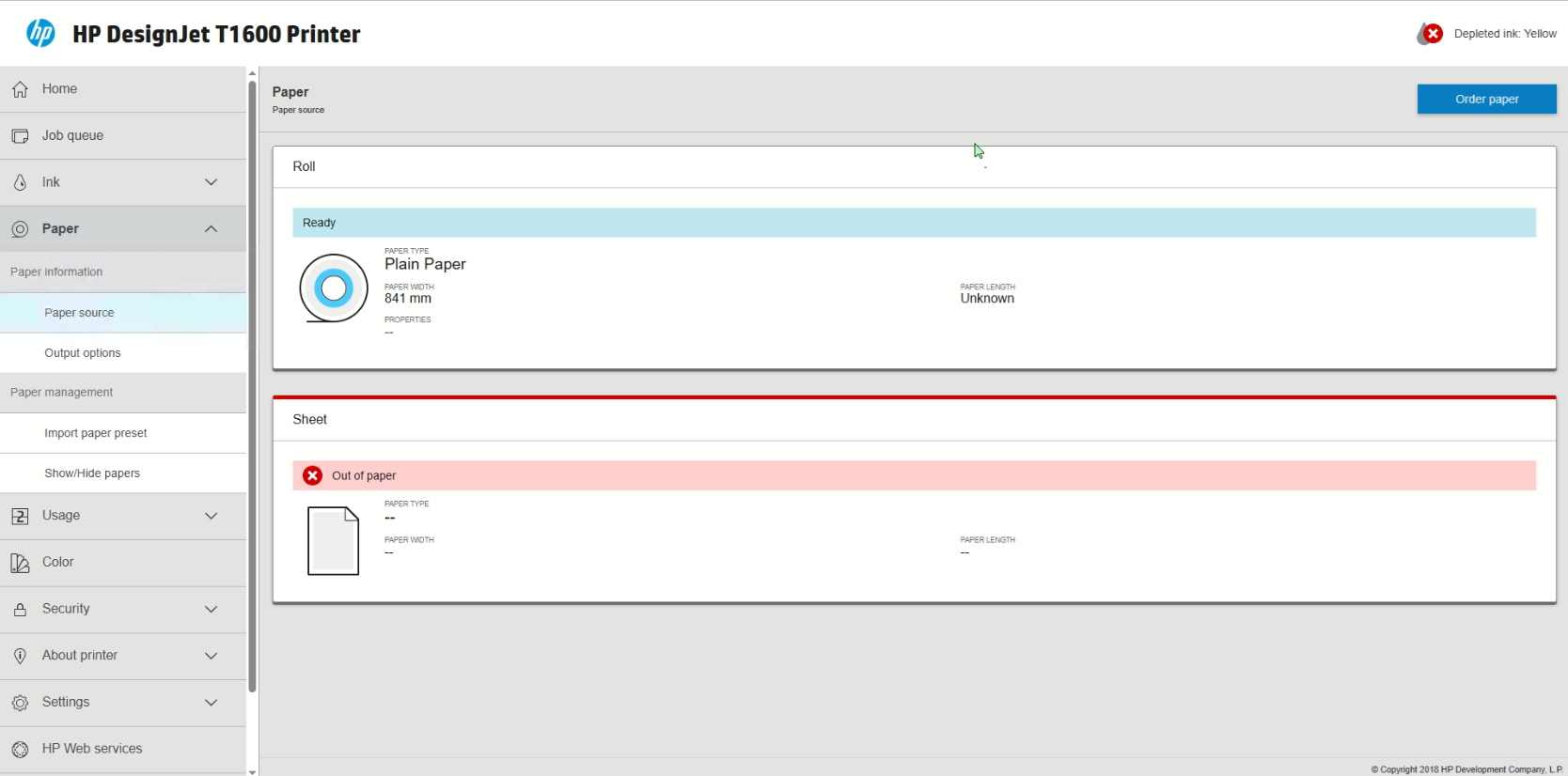
From this single screen, you can see which paper roll is active (Plain Paper, 841 mm in the example above) and get a visual estimation of your ink cartridges.
1. Precision Supply Management
Gone are the days of guessing when you'll run out of yellow ink during a critical deadline. The EWS offers granular detail on your consumables.
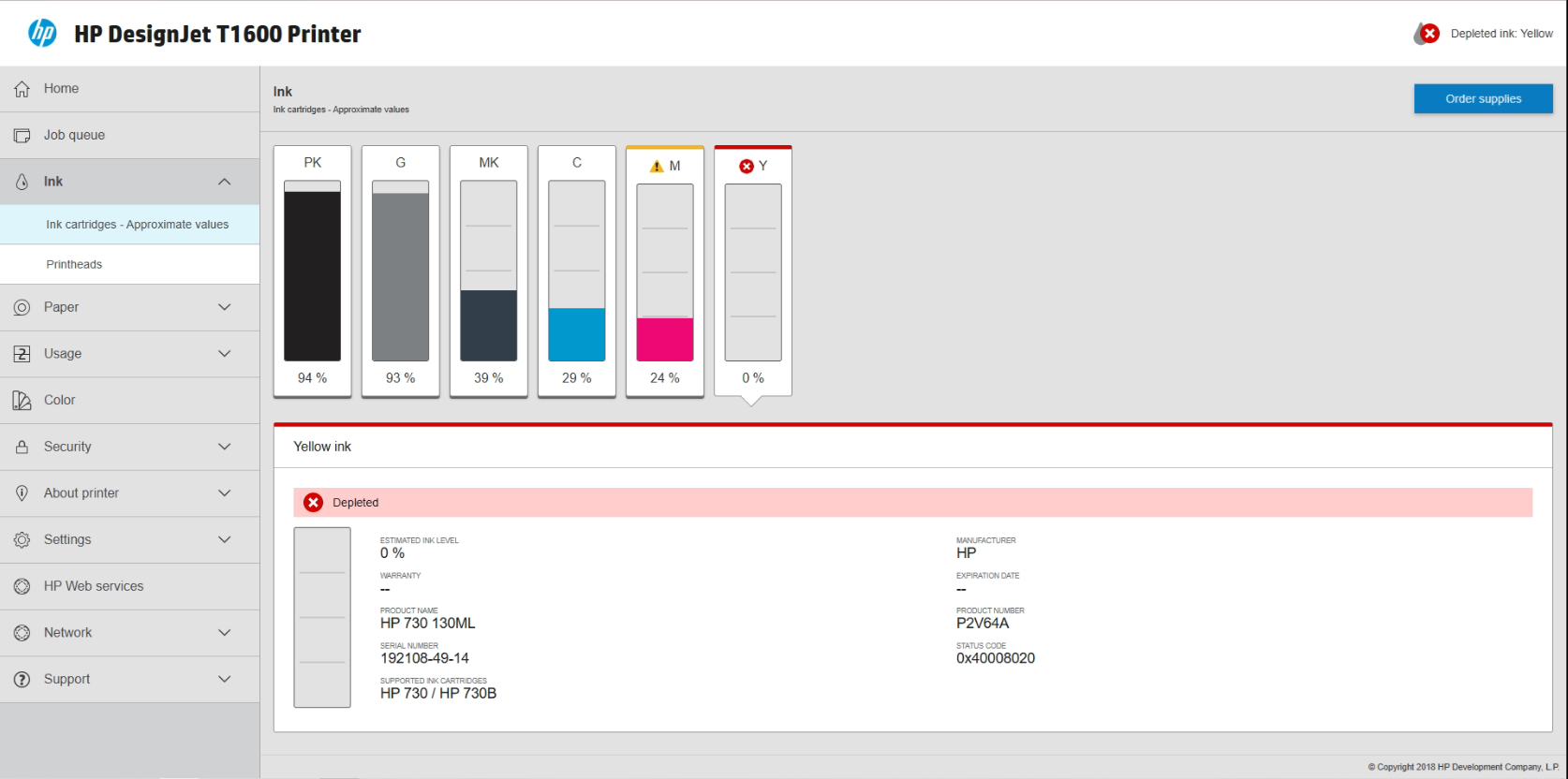
Ink Cartridges
By navigating to the Ink tab, you get more than just a progress bar. You get precise percentages and status updates. The system alerts you immediately if a cartridge is "Depleted" or if there is a "Low ink" warning, ensuring you can order replacements before work stops.
Paper Source
Similarly, the Paper tab confirms exactly what is loaded on the spindle. It identifies the paper type, width, and even tracks the remaining length if you are using barcoded rolls.
2. The Game Changer: Job Accounting & Cost Calculation
Please note that the advanced Job Accounting features described in this section are only available for HP DesignJet printers equipped with an internal hard disk. This includes models such as the HP DesignJet T1600 and T2600 Series, or the HP DesignJet T1700 Series. You also can find this great function on HP DesignJet XL 3800 Series.
This is where the HP DesignJet EWS truly shines. For many businesses, "print costs" are a vague monthly expense. The Usage and Accounting tabs turn that vague expense into hard data.
Job Accounting: Know Your History
Under the Accounting section, the printer logs every single job that passes through the printhead.
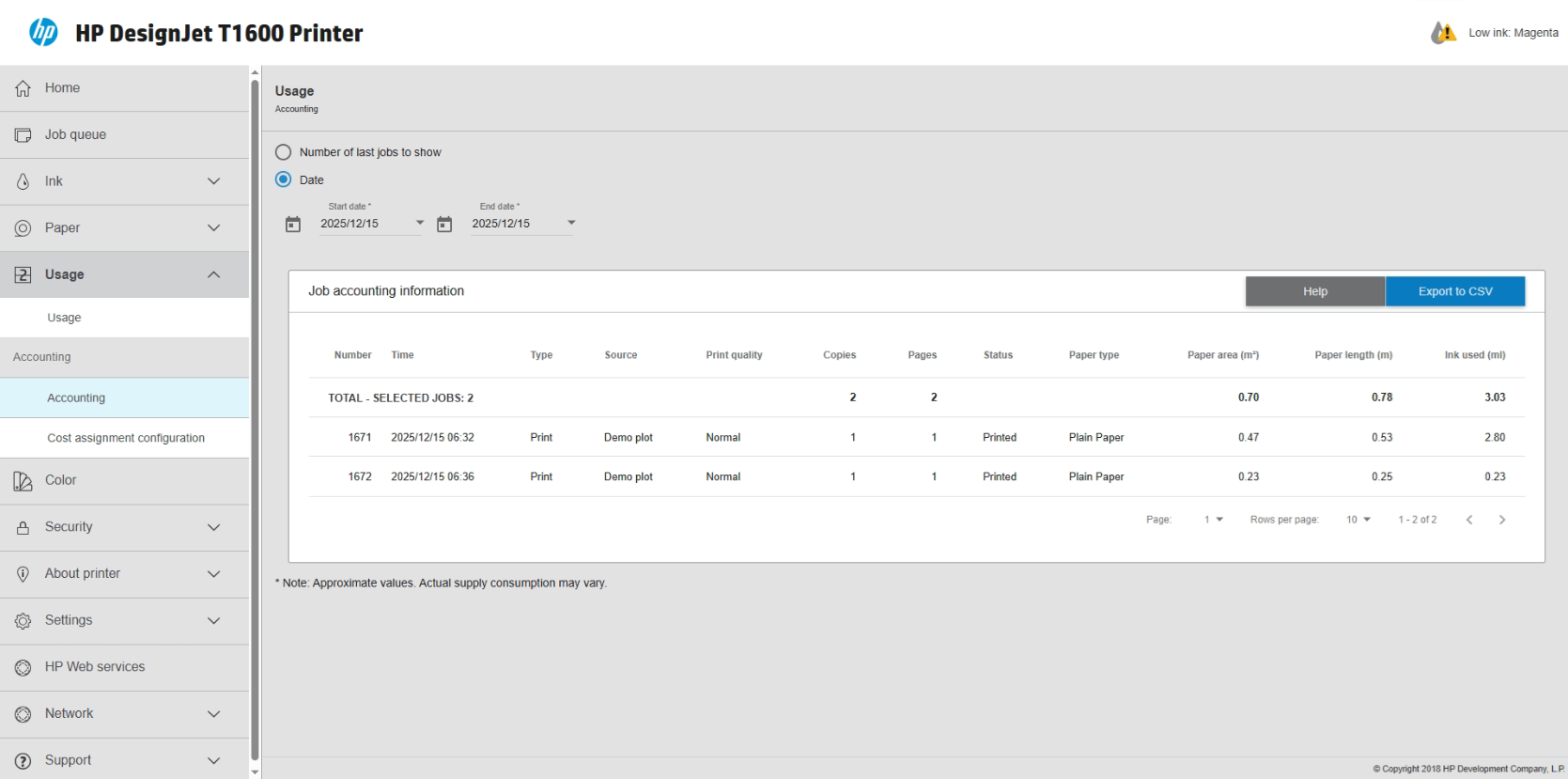
This log allows you to answer critical questions:
- Who printed that large demo plot?
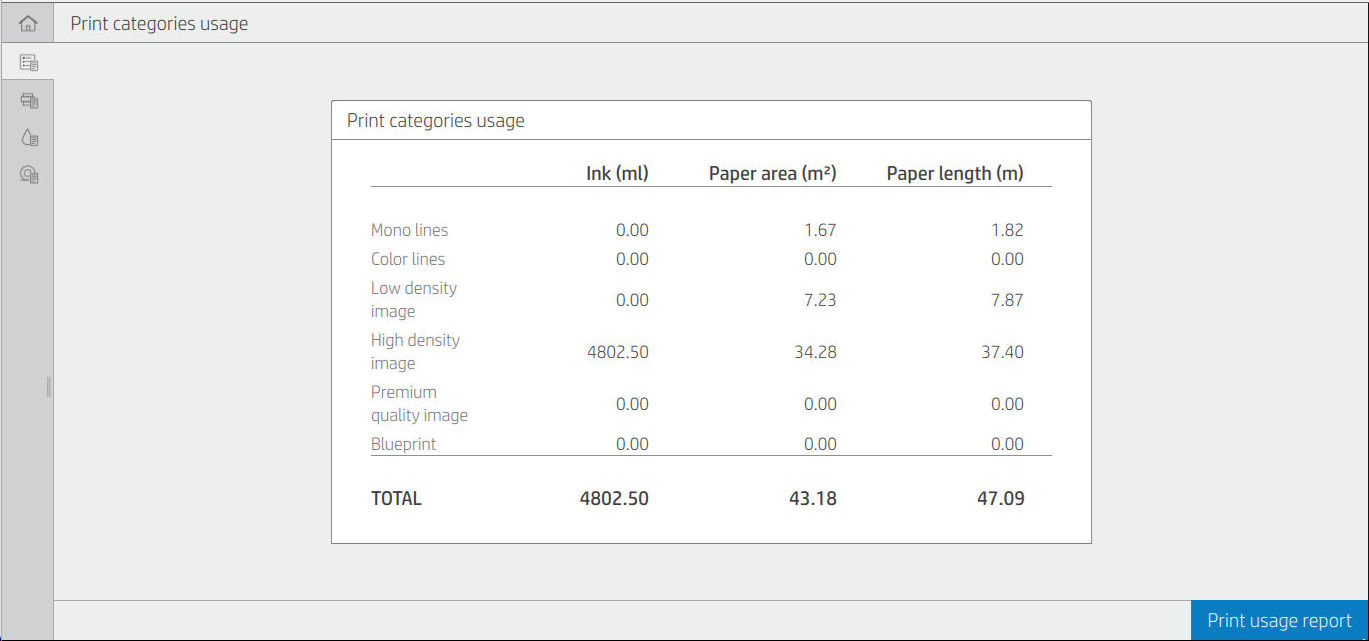
- How much ink did the "High Density Image" actually use compared to a line drawing?
- Can I bill this specific job to Client X?
You can even export this data to a CSV file (Excel) to integrate it directly into your monthly invoicing.
Cost Assignment: Automate Your Billing
Knowing how much ink was used is good; knowing how much it cost is better. The Cost Assignment Configuration allows you to input your actual purchasing costs for supplies.
You can assign specific monetary values to:
- Fixed Costs: A set fee per job (e.g., a setup fee).
- Print Categories: Set different rates for "Mono lines" vs. "High density images."
- Paper Usage: Cost per m².
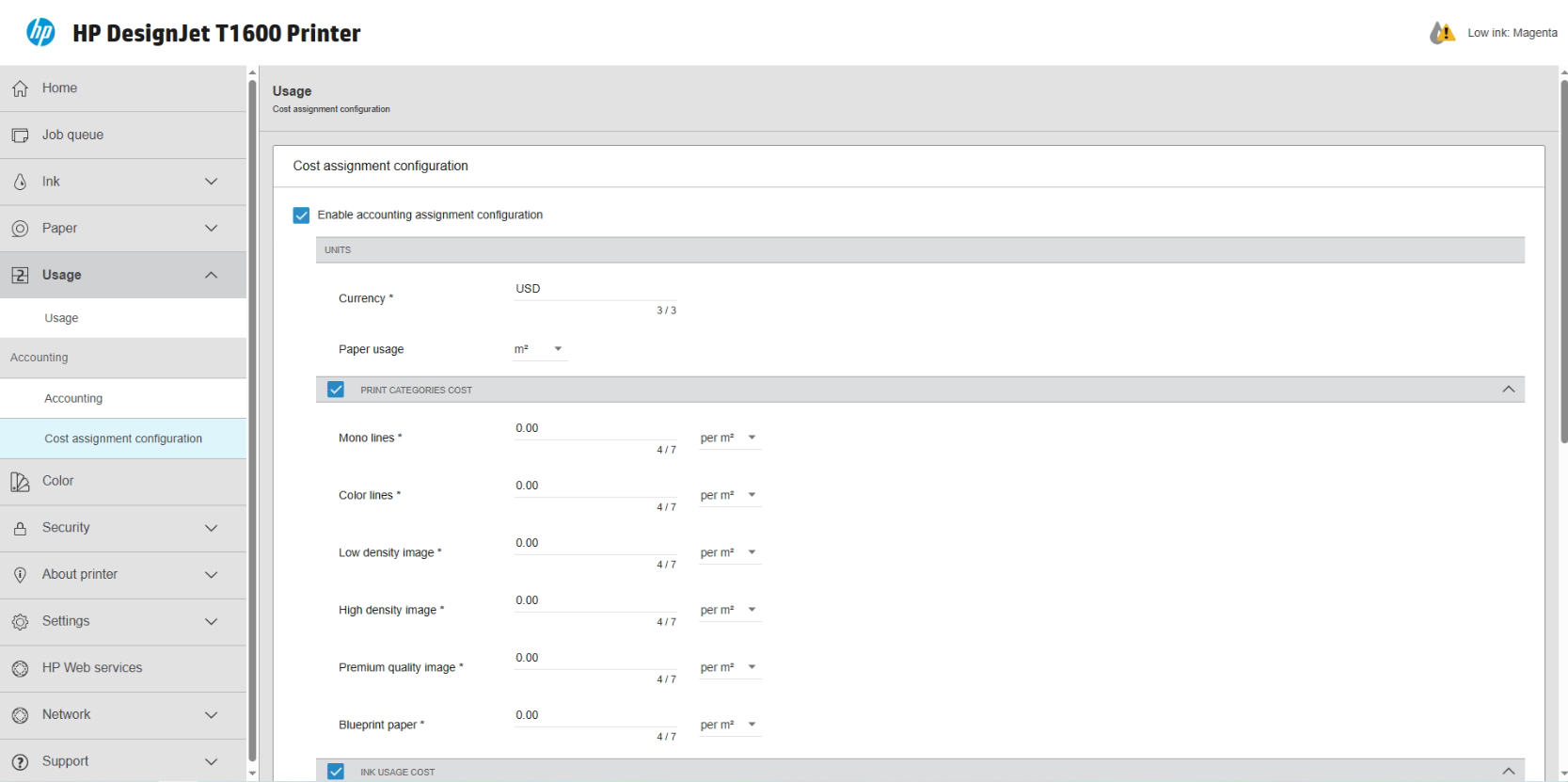
You can even drill down to the exact cost per milliliter for each ink color. If Matte Black is cheaper for you to buy than Cyan, your accounting settings can reflect that reality.
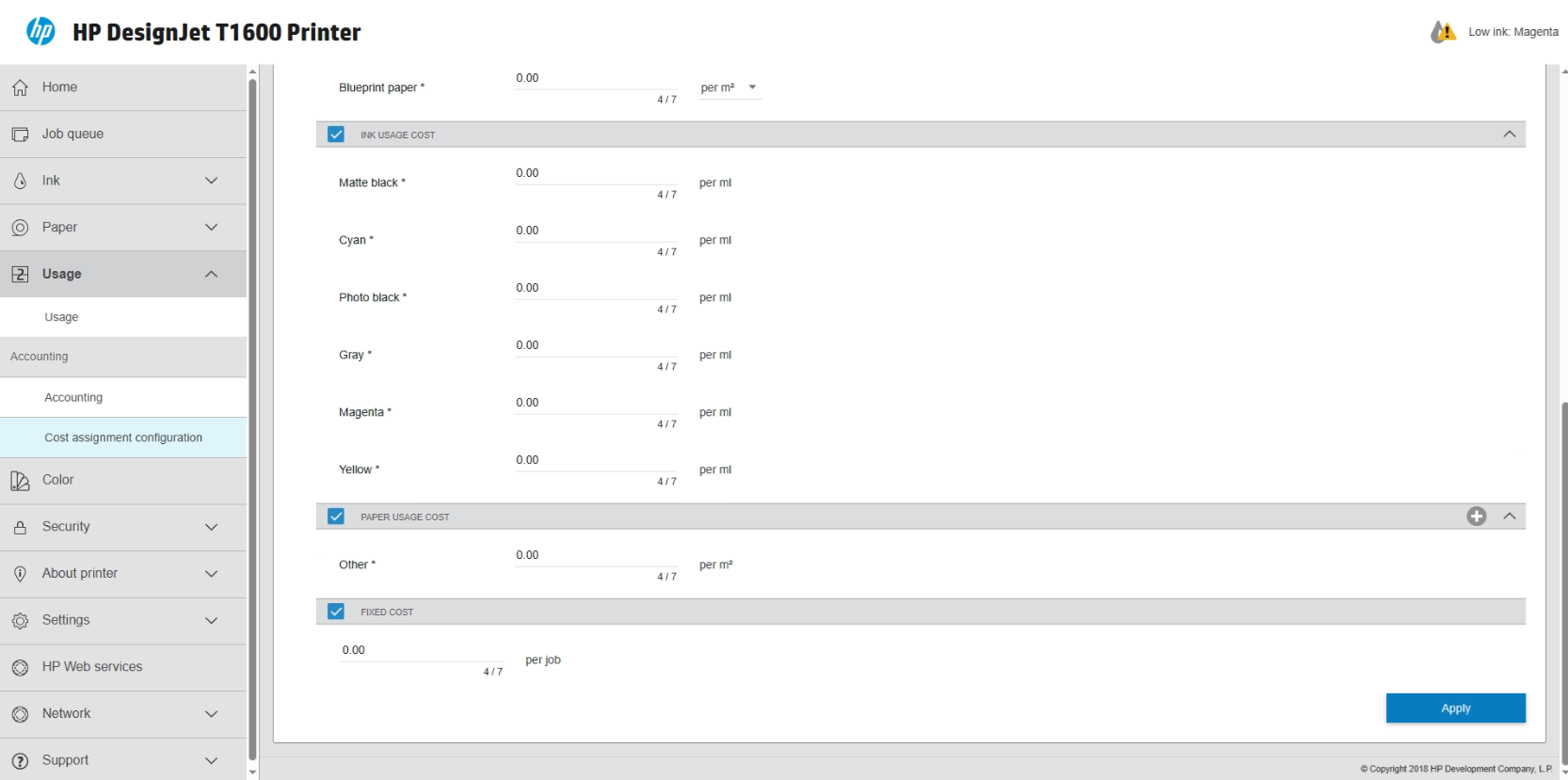
Once these figures are entered, the printer effectively generates a "receipt" for every print, allowing for 100% accurate cost recovery from clients.
3. Usage Analytics & Hardware Health
Beyond individual jobs, the EWS helps you look at the big picture. The Usage summary shows you the cumulative wear and tear on your machine. You can view total ink consumed and total paper area printed over the lifetime of the printer.
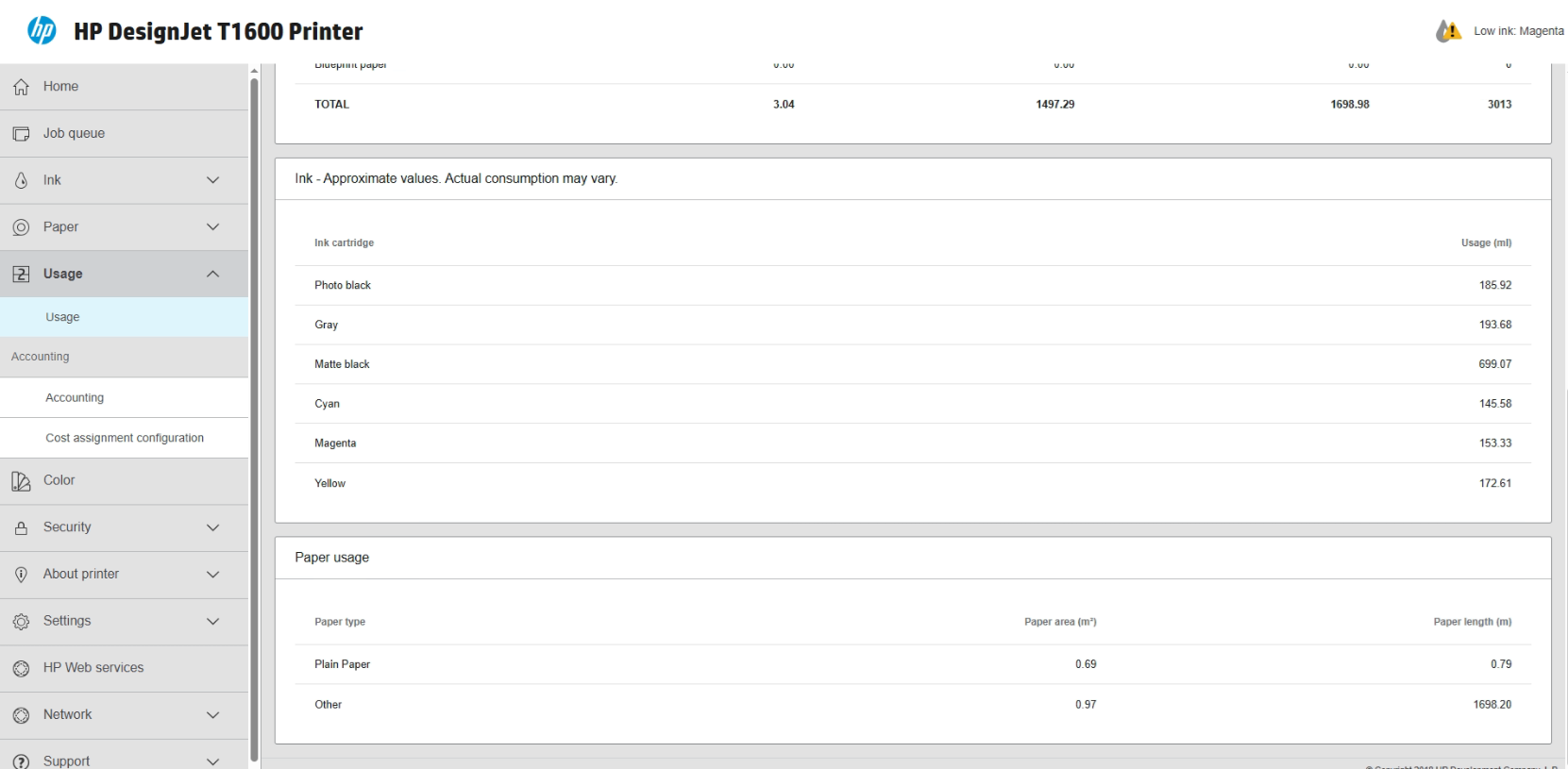
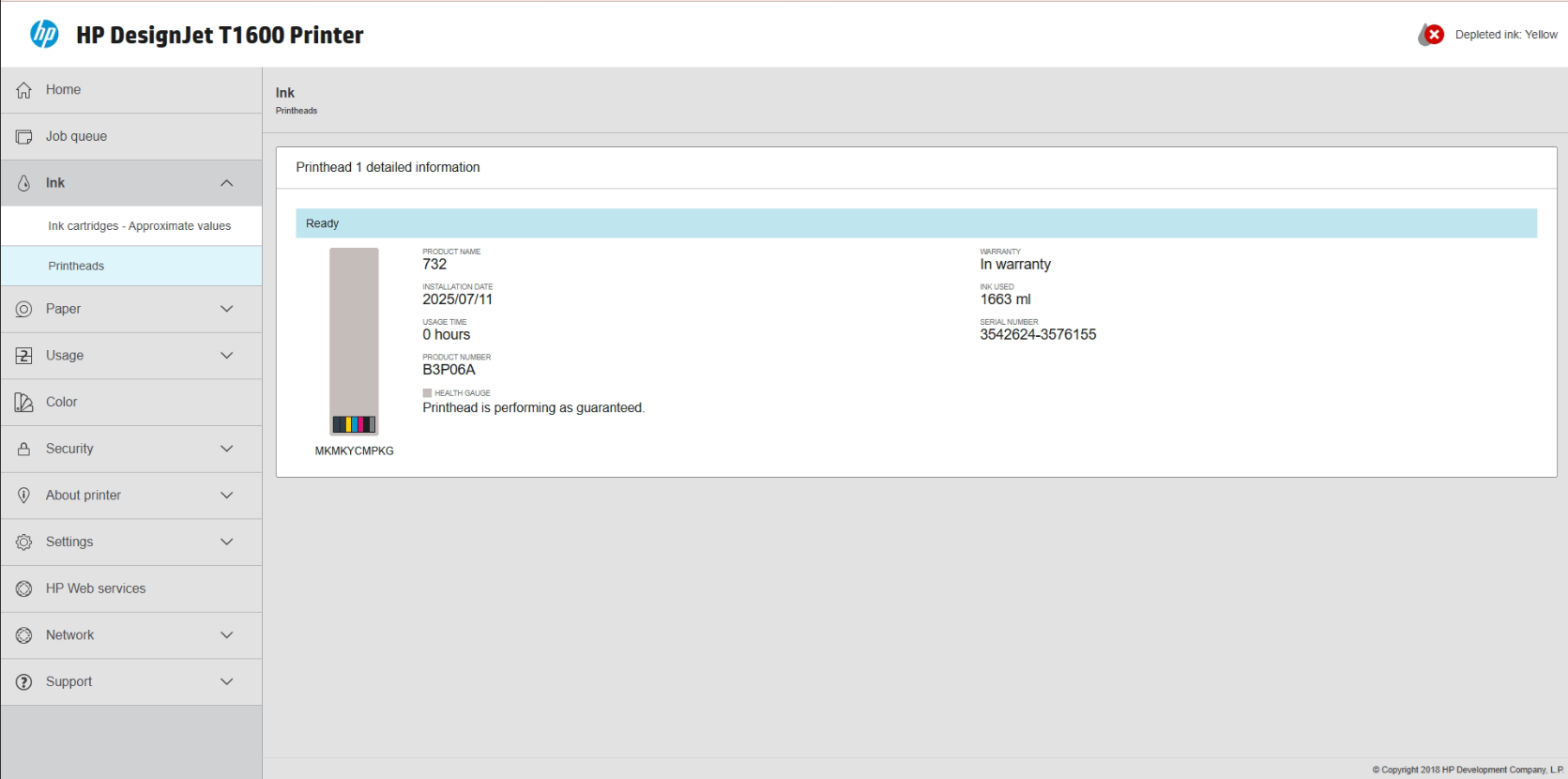
You can also monitor the health of vital components like the Printhead. The system tracks the installation date and warranty status, so you know exactly when a part is due for replacement.
4. Workflow Management
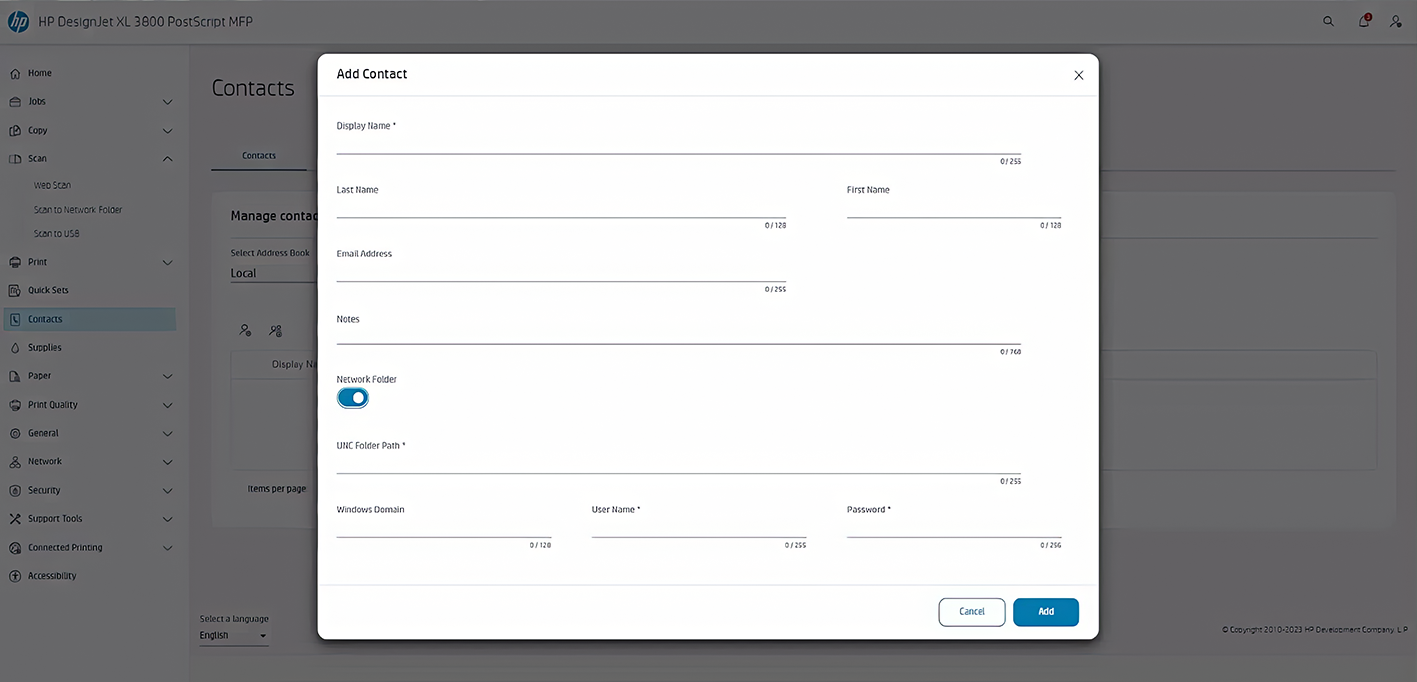
Finally, the EWS simplifies how your team interacts with the printer. The Contacts section allows you to manage an address book for the printer. This is particularly useful for Multifunction (MFP) models where users need to "Scan to Email" or "Scan to Network Folder."
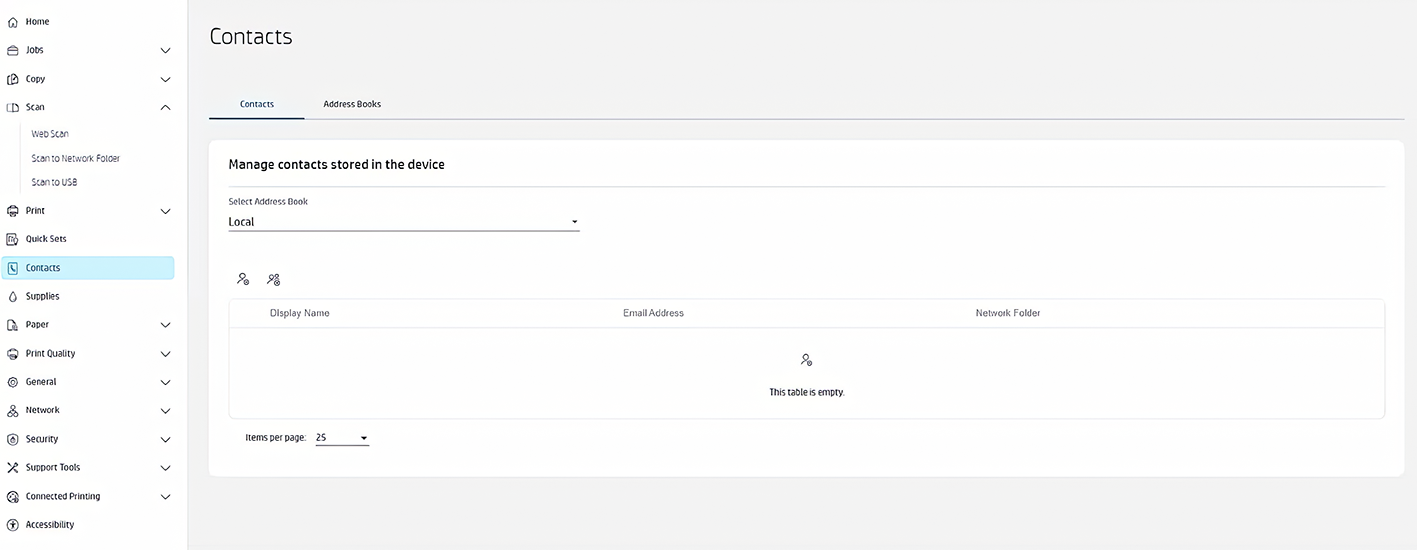
By adding contacts directly to the printer, users can select their name from the touchscreen panel rather than typing in email addresses manually for every scan.
Conclusion
The HP DesignJet Embedded Web Server is more than just a settings menu—it is a financial tool. By taking ten minutes to configure your Cost Assignment settings, you can transform your printing from an overhead cost into a billable service.
Next Step: Log in to your DesignJet's IP address today, navigate to the Usage > Cost Assignment tab, and enter your current paper and ink prices. You might be surprised at how much revenue you can recover.